How to Get Your Business on Google Maps, Step by Step
A free Google Business Profile puts you on Google Maps and in local searches. Here's how to set it up properly in about 20 minutes.
When someone nearby searches "bakery near me" or "dentist in Sialkot", Google shows a map with three businesses before any website. Those three almost always have one thing in common: a complete Google Business Profile. It's free, and you can set it up yourself today.
What you need before you start
- A Google account (a Gmail address works).
- Your business name exactly as it appears on your sign.
- Your address, or the area you serve if you visit customers.
- A phone number, your opening hours and, if you have one, your website address.
Step by step
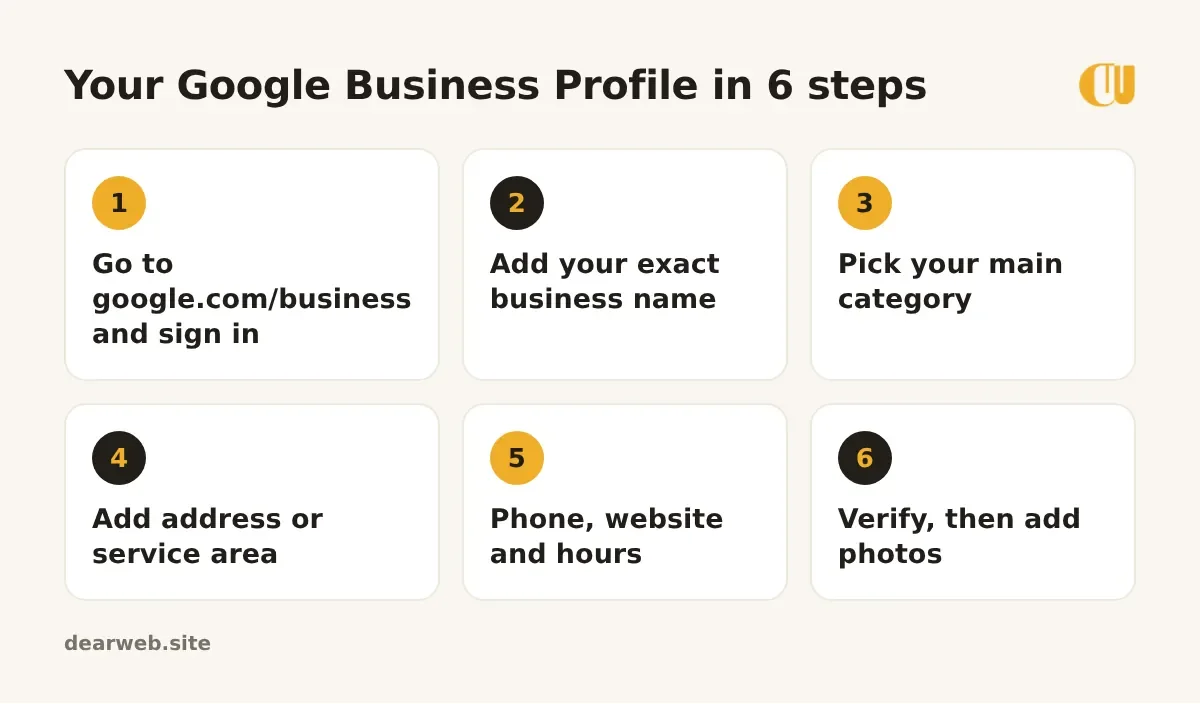
1. Start at google.com/business
Sign in and click Manage now. If Google finds an existing listing for your business, claim it instead of making a new one. Duplicate listings confuse customers and Google.
2. Use your real business name
Type the name you actually use. Don't add keywords like "Best Cakes Sialkot" to the name; Google can suspend profiles for that.
3. Choose your main category carefully
The category tells Google what you are. Pick the most specific one ("Wedding bakery" rather than "Store"). You can add extra categories later.
4. Address or service area
If customers visit you, add your address. If you go to them (plumbers, cleaners, web designers), choose a service area and hide your address.
5. Phone, website and hours
Add a number you actually answer and your website. Opening hours matter: people often check them right before they visit.
6. Verify your business
Google needs to confirm you're real. Depending on your business, it may offer a phone call, text, email or a short video. Follow the steps it shows; your profile goes fully live after verification.
5 things that help you show up higher
- Photos: your shop front, inside, your team and your work. Add new ones every month.
- Reviews: ask happy customers right after the job, and reply to every review.
- A description: two or three sentences about what you do and where.
- Same details everywhere: use the same name, address and phone on your website, Facebook and directories.
- Posts and updates: share offers or news on your profile; it shows Google you're active.
Tip: make a direct review link and send it to customers on WhatsApp. One tap opens the review box, so far more people actually leave one.
Next step
Once your profile is live, link it to a proper website. Google trusts businesses more when the website and the profile show the same details, and customers who click through can see your work and contact you straight away.