How to Add a WhatsApp Chat Button to Your Website
Many customers would rather send a WhatsApp than fill in a form or call. A chat button takes 5 minutes to add and can bring you more enquiries.
Ask any shop owner in Pakistan how customers contact them, and the answer is usually WhatsApp. People find it easier than a form and less awkward than a phone call. If your website doesn't have a WhatsApp button, you're making the most popular way to reach you harder than it needs to be.
Step 1: make your WhatsApp link
A WhatsApp link looks like https://wa.me/923001234567: your number with the country code, without the plus sign, spaces or the first 0. You can add a ready message so customers don't have to think of what to write:
https://wa.me/923001234567?text=Hi%2C%20I%20saw%20your%20website
Our free WhatsApp Link Generator builds this for you, including the button code.
Step 2: add the button
On WordPress
- Easiest: add a Button block anywhere and paste your link.
- Floating button: use a lightweight free plugin such as "Click to Chat", or paste the button code into your theme's footer settings.
On any other website
Paste the HTML button code from the generator into your page, just before the closing </body> tag for a floating button.
Step 3: put it where people decide
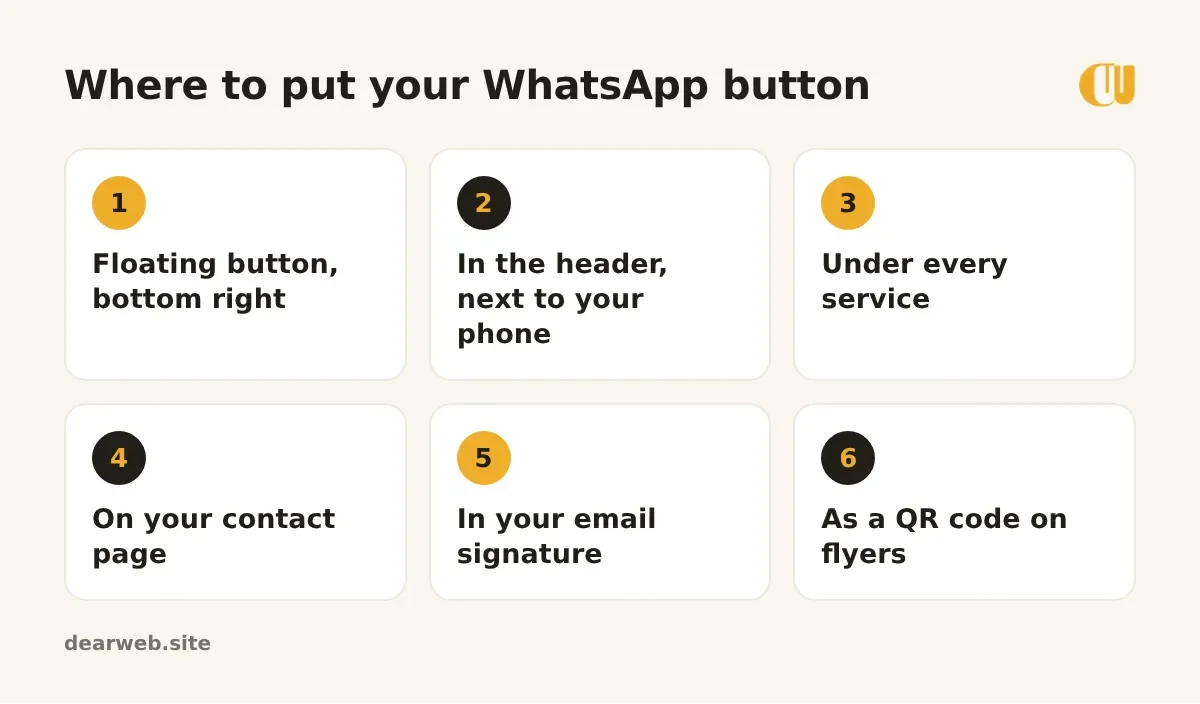
A single button at the bottom of the contact page gets few clicks. Place it where people make up their mind: next to your prices, under each service, and as a floating button that follows them down the page.
Write a ready message that helps you
A good ready message tells you where the customer came from and what they want. For example: "Hi, I saw your wedding cakes on your website. Can I get a price?" Use a different message on different pages and you'll know which pages bring enquiries.
Answer fast
A WhatsApp button only works if you reply. Set up WhatsApp Business with a greeting message and quick replies for common questions like prices, location and opening hours. Customers who get an answer within minutes are far more likely to buy.
Bonus: print your WhatsApp link as a QR code on your counter, menu or van, so walk-in customers can save you in one scan.