
How to Write Website Text That Turns Visitors into Customers
Most visitors scan rather than read. Write short, specific, customer-focused text, and always tell them what to do next.
Your design gets attention, but your words decide whether people contact you. You don't need to be a writer. Follow five simple rules and your website will do a much better job of turning visitors into customers.
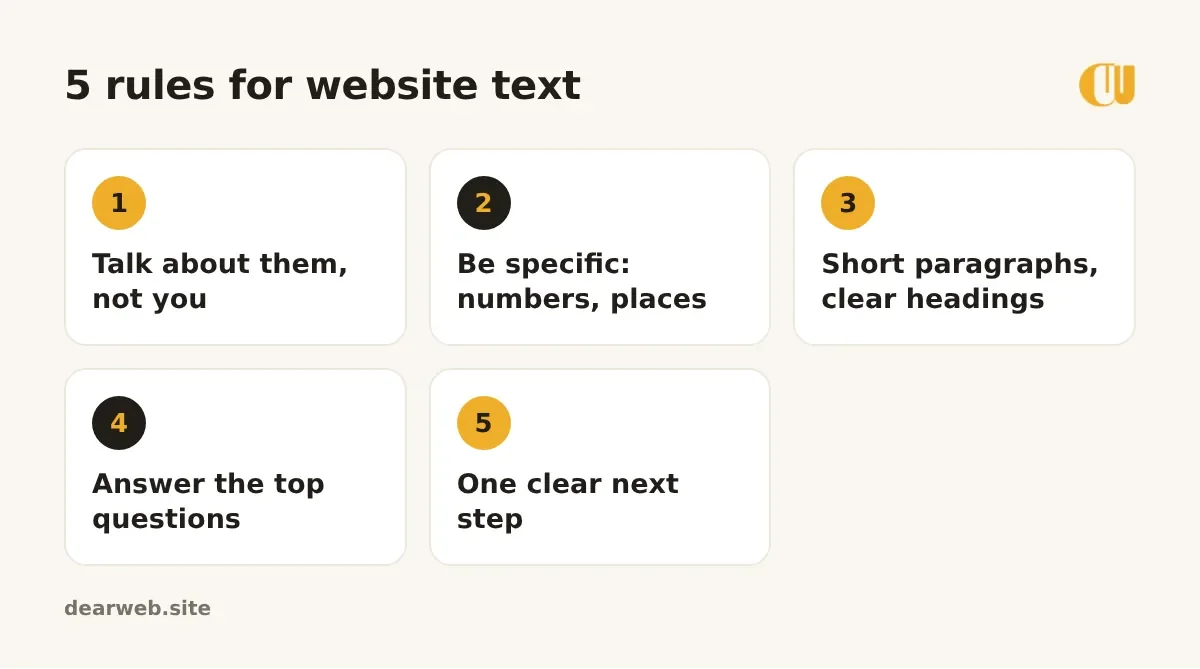
1. Talk about them, not you
Compare "We are a leading company with years of experience" with "Get your AC fixed today, usually within 3 hours". The second talks about what the customer gets. Count how often your homepage says "we" versus "you".
2. Be specific
Specific details are believable. "Fast delivery" means little; "Delivery across Sialkot within 24 hours" means a lot. Use numbers, places, times and real examples.
3. Make it easy to scan
- Short paragraphs of two or three sentences.
- Headings that say something ("Free delivery in Sialkot") rather than labels ("Delivery").
- Bullet points for lists of services or benefits.
4. Answer the questions people ask you
Write down the five questions customers ask most on WhatsApp: price, timing, area, payment, guarantees. Answer them on your website. Every answer removes a reason not to contact you.
5. Always give one clear next step
End every section with an action: "Get a free quote", "Chat on WhatsApp", "See our work". Use a button, and say exactly what happens next ("We reply within an hour").
A quick before and after
Before: "Welcome to ABC Interiors. We offer quality services."
After: "Kitchen and wardrobe makeovers in Lahore, finished in 10 days. See 40 real projects, then get a free quote on WhatsApp."
Need a short line for your header or social bios? Try our free slogan generator for ideas in your tone.